This workflow is expected to change soon. Updated instructions will follow when available.
Step 1. Obtain the IP address of the host(s) in your system. This is identical to the procedure described in the SEPIA Firmware Update Guide.
Step 2. Use SEPIA to create your unique setup and ensure it is in the desired state before saving a snapshot.
Step 1. Open QLab (QLab Pro is required; the Lite version is not compatible).
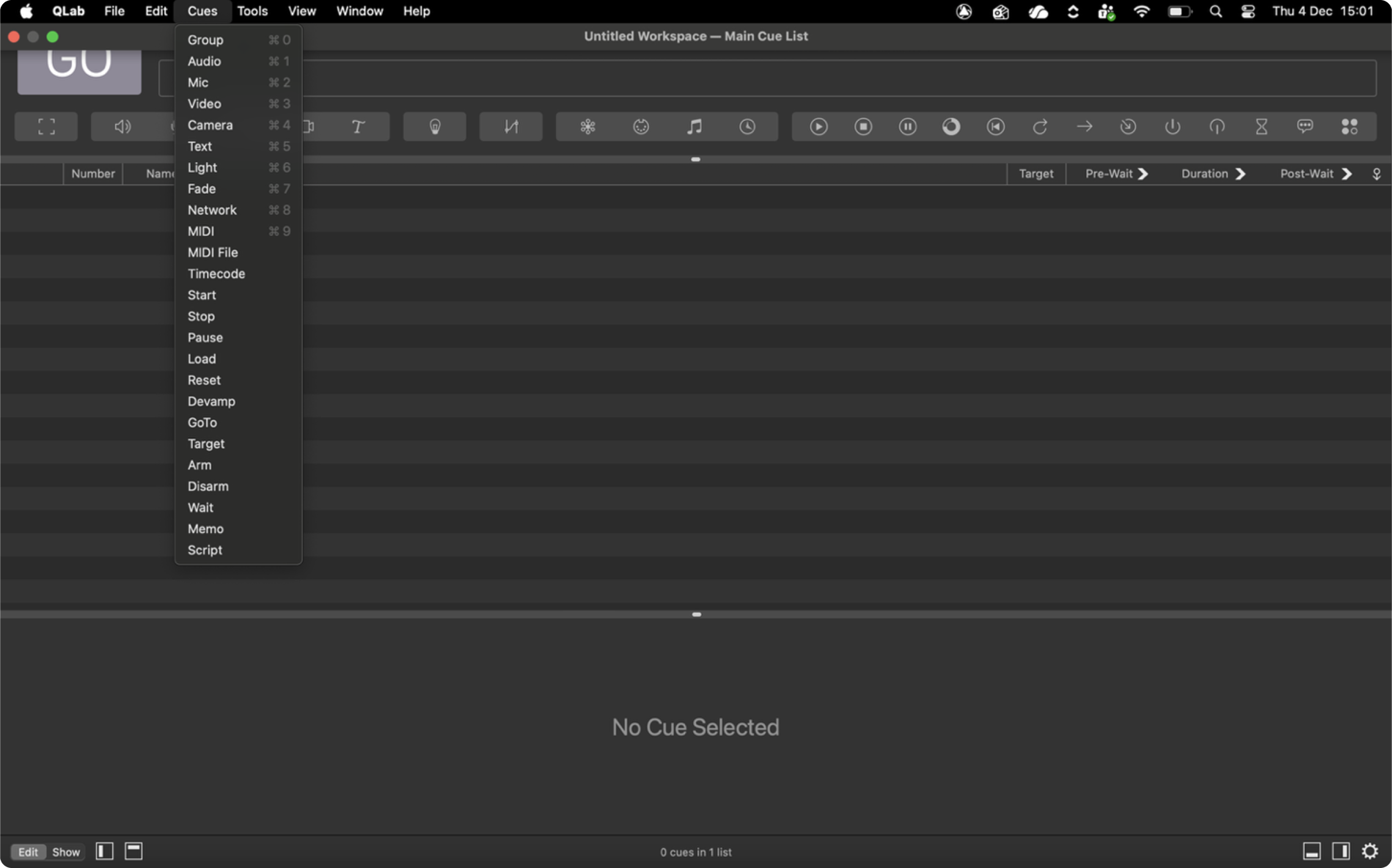
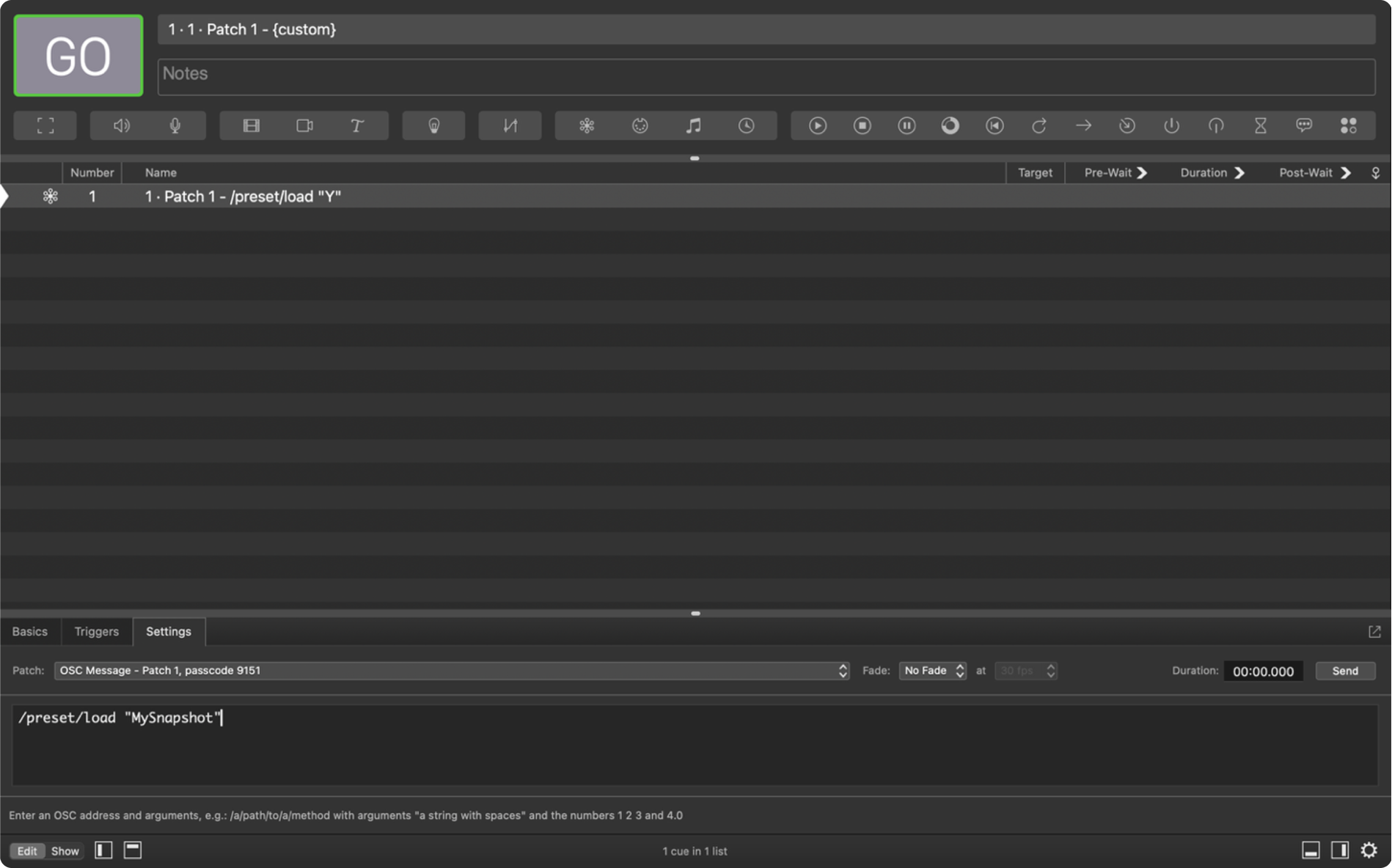
Step 2. Create a new Network Cue: from the system menu bar, go to Cues>Network. This cue will trigger a save.
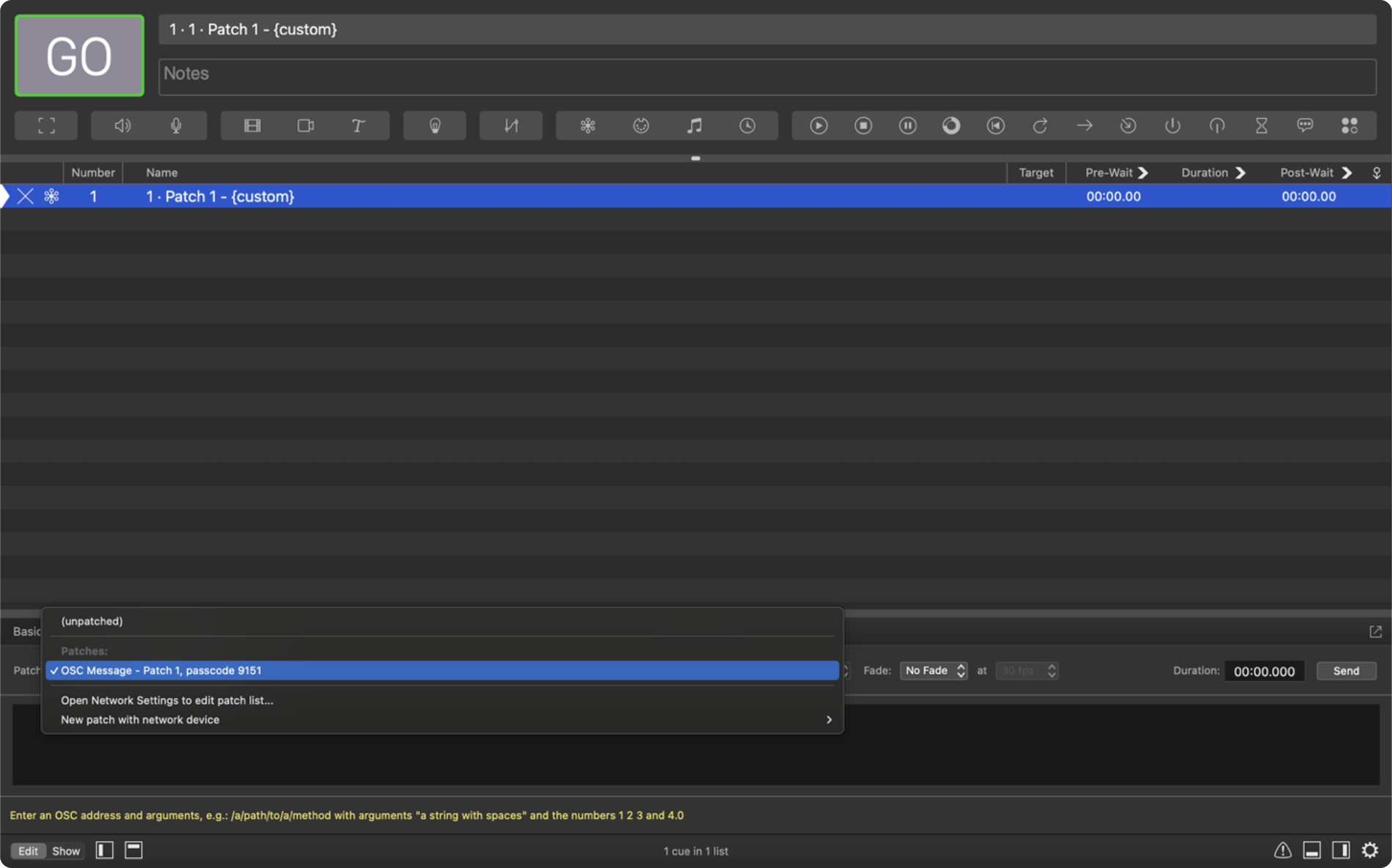
Step 3. In the Settings tab, confirm that the Patch is set to OSC Message.
Step 4. Give you snapshot a name. In the Command field, enter: /preset/save “YOUR SNAPSHOT NAME”
Note: The name inside the quotation marks is the snapshot name. Do not use spaces or special characters. Each snapshot name must be unique to avoid overwriting an existing file.
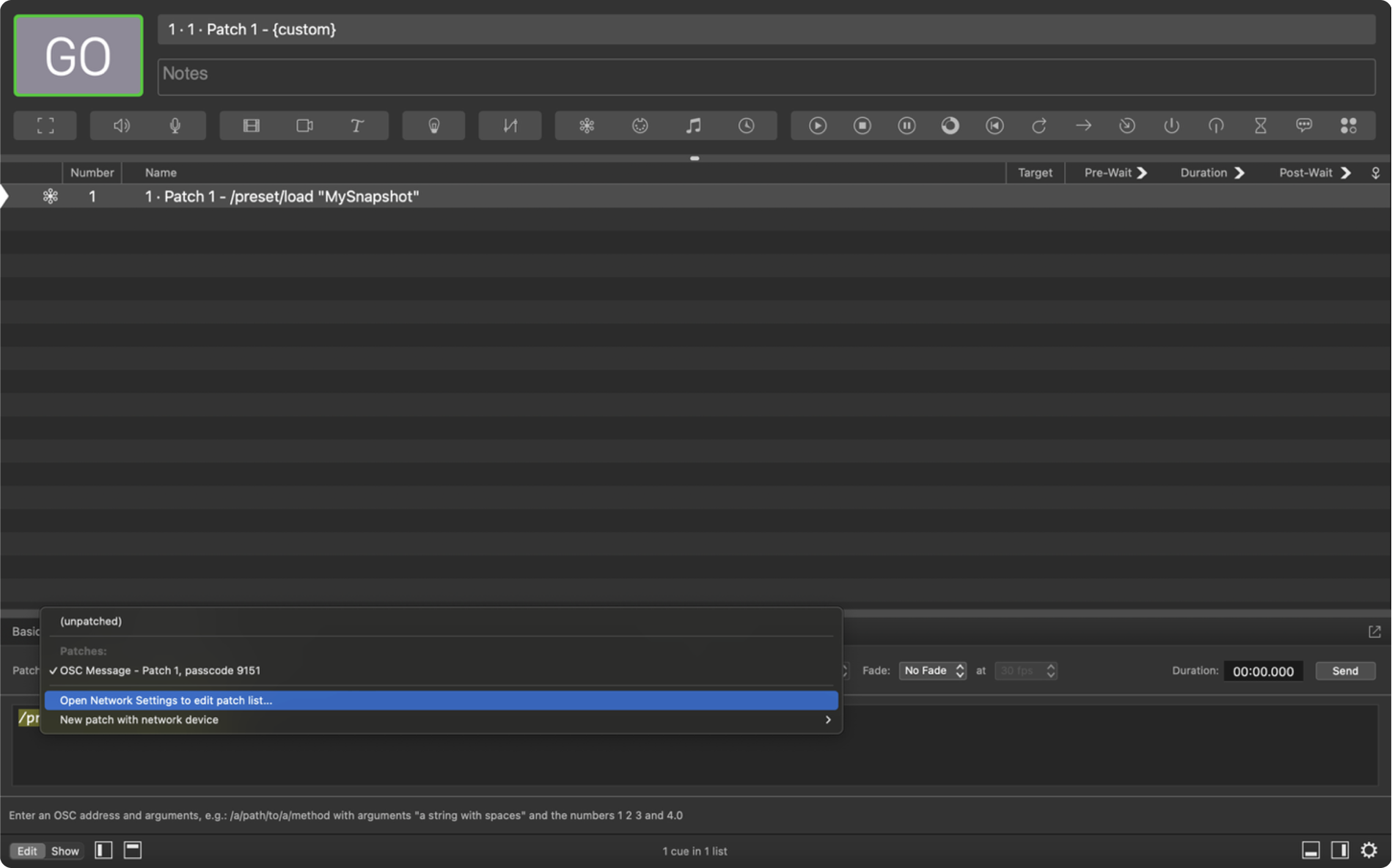
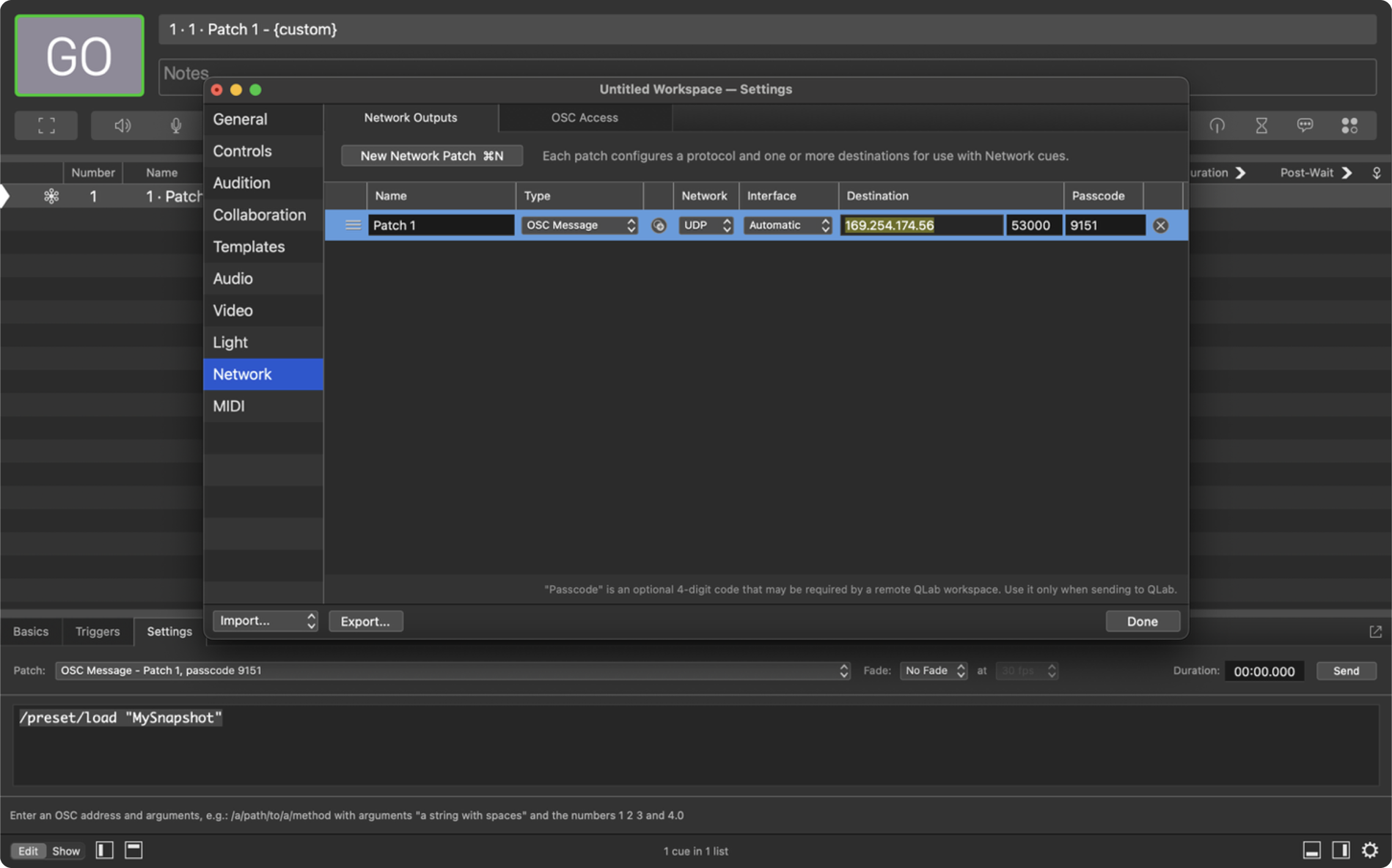
Step 5. Configure network settings for the cue. Under Patch, select Open Network Settings.
Paste the host’s IP address in the Destination field.
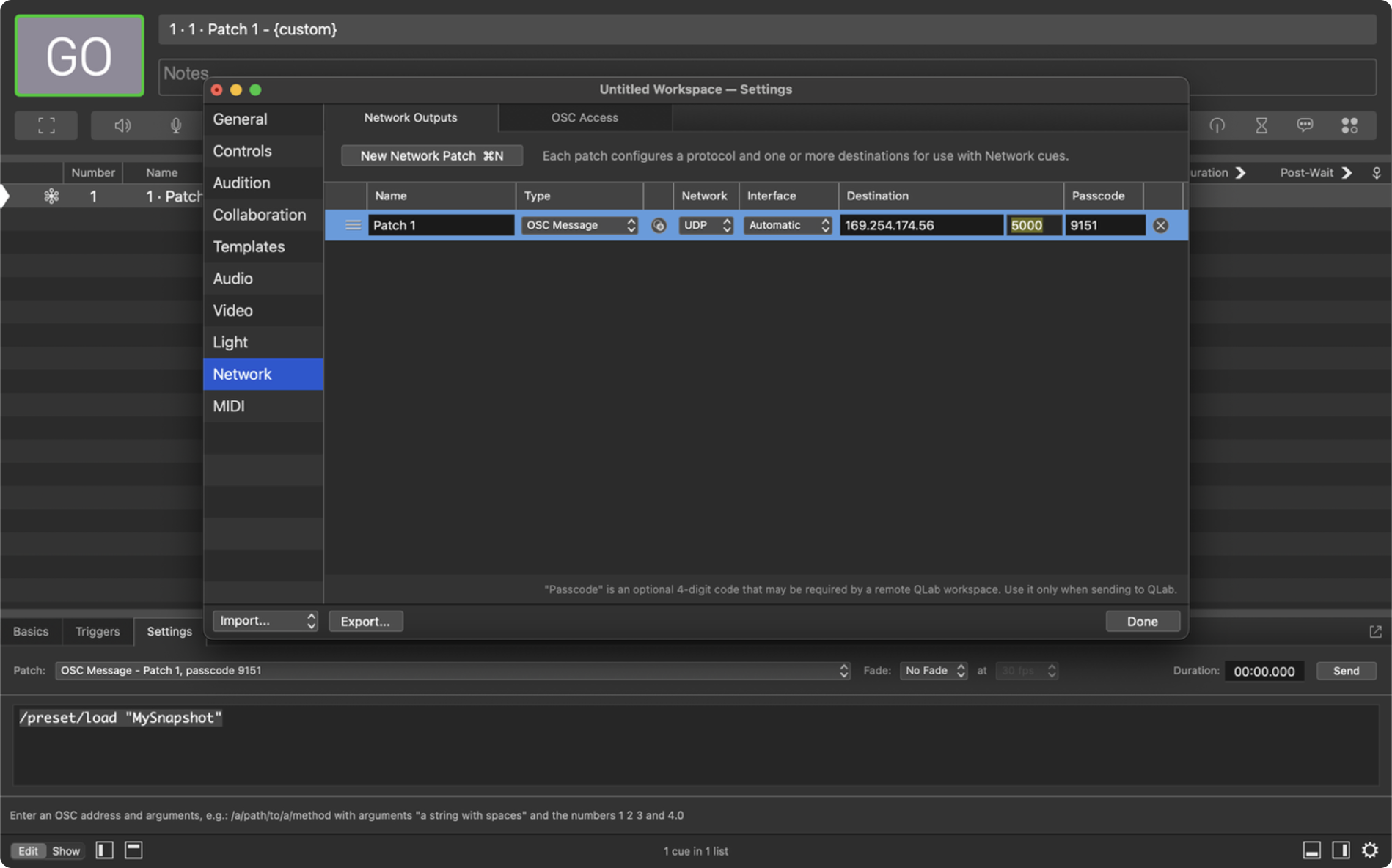
Set the Port to 5000.
Note 1: To save a snapshot for a multi-host system, you must create a New Network Patch for every host in your system as shown above.
Note 2: Hosts on DHCP may receive a new IP address on each reboot. Ensure that all your network patches always have the correct IPs. To avoid this issue, put your host on a fixed IP. Only change your host’s IP address if you are confident your network is on the correct subnet.
Step 6. Trigger the Network Cue to save the snapshot. Make note of your snapshot name for later recall. Before creating another save, update the snapshot name in the command field.
Note 1: Each host can store approximately 3,000 snapshots; exceeding this may cause storage issues.
Note 2: If you swap out a host in your system, snapshots must be re-saved for that specific unit, as snapshots are stored locally on each host.
Step 1. Create a new Network Cue in QLab (same as before).
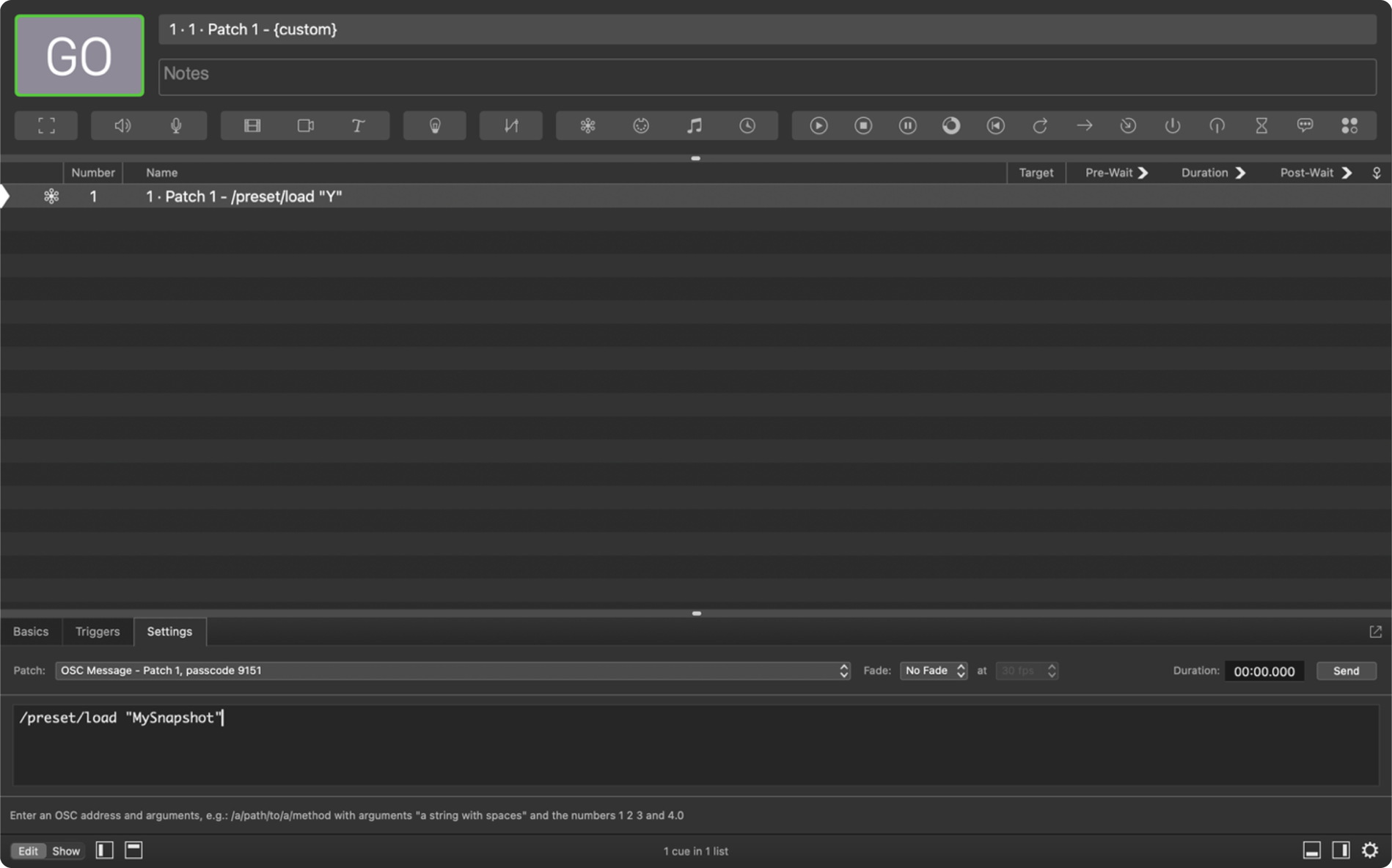
Step 2. In the Command field, enter: /preset/load “YOUR SNAPSHOT NAME”. Use the exact name used when the snapshot was saved.
Step 3. Trigger the Network Cue to load the snapshot.
Note: After recall, the client will not be in sync with the host. The red sync button will illuminate, press to re-sync the client.
These terms and conditions (the “Terms and Conditions”) govern the use of www.karno.com (the “Site”). This Site is owned and operated by Karno Sound Limited. This Site is a portfolio.
By using this Site, you indicate that you have read and understand these Terms and Conditions and agree to abide by them at all times.
All content published and made available on our Site is the property of Karno Sound Limited and the Site’s creators. This includes, but is not limited to images, text, logos, documents, downloadable files and anything that contributes to the composition of our Site.
Karno Sound Limited and our directors, officers, agents, employees, subsidiaries, and affiliates will not be liable for any actions, claims, losses, damages, liabilities and expenses including legal fees from your use of the Site.
Except where prohibited by law, by using this Site you indemnify and hold harmless Karno Sound Limited and our directors, officers, agents, employees, subsidiaries, and affiliates from any actions, claims, losses, damages, liabilities and expenses including legal fees arising out of your use of our Site or your violation of these Terms and Conditions.
These Terms and Conditions are governed by the laws of the Country of England.
If at any time any of the provisions set forth in these Terms and Conditions are found to be inconsistent or invalid under applicable laws, those provisions will be deemed void and will be removed from these Terms and Conditions. All other provisions will not be affected by the removal and the rest of these Terms and Conditions will still be considered valid.
These Terms and Conditions may be amended from time to time in order to maintain compliance with the law and to reflect any changes to the way we operate our Site and the way we expect users to behave on our Site. We will notify users by email of changes to these Terms and Conditions or
post a notice on our Site.
This Privacy Statement outlines how Karno (“we,” “us,” or “our”) collects, utilises, and discloses personal data when you visit our website and engage with our services. We are dedicated to safeguarding your privacy and adhering to applicable data protection laws, including the General Data Protection Regulation (GDPR).
We do not gather or retain personal data from visitors to our website, except for currency conversion purposes when utilising our Shopify integration. In such instances, we may collect and process the user’s IP address to ascertain the appropriate currency based on their location.
The IP address obtained during currency conversion is employed solely to provide the suitable currency for the user’s location. We do not employ this data for any other purpose, nor do we share it with third parties.
We process IP addresses for currency conversion based on our legitimate interest in delivering a personalised experience to our website visitors and customers. We consider this processing necessary for the execution of our contract with you and for our legitimate interests in delivering and refining our services.
We retain IP addresses gathered for currency conversion for the duration required to deliver the service and comply with legal obligations. Subsequently, we securely delete or anonymise the data.
Under the GDPR, you possess the right to access, rectify, or erase your personal data processed by us. You also retain the right to restrict or object to the processing of your personal data. Should you wish to exercise any of these rights or have any queries concerning our privacy practices, please contact us using the details provided below.
Updates to Privacy Statement:
We may update this Privacy Statement periodically to reflect changes in our data processing practices or legal requirements. Any updates will be posted on this page, so please check back regularly for the latest information.
Please contact us if you have any questions or concerns. Our contact details are as follows:
We respect your privacy. We only collect and use your IP address for currency conversion when using our Shopify integration. This helps us provide the right currency based on your location. We don’t share this data and only keep it for as long as necessary. For our full statement Click Here