

このワークフローは近日中に変更される予定です。更新された手順は、利用可能になり次第ご案内します。
手順 1. システム内のホストのIPアドレスを取得してください。これはSEPIAファームウェア更新ガイドに記載の手順と同一です。
手順 2. SEPIAを使用して固有のセットアップを作成し、スナップショットを保存する前に目的の状態になっていることを確認してください。
手順 1. QLabを開きます(QLab Proが必要です。Lite版は互換性がありません)。
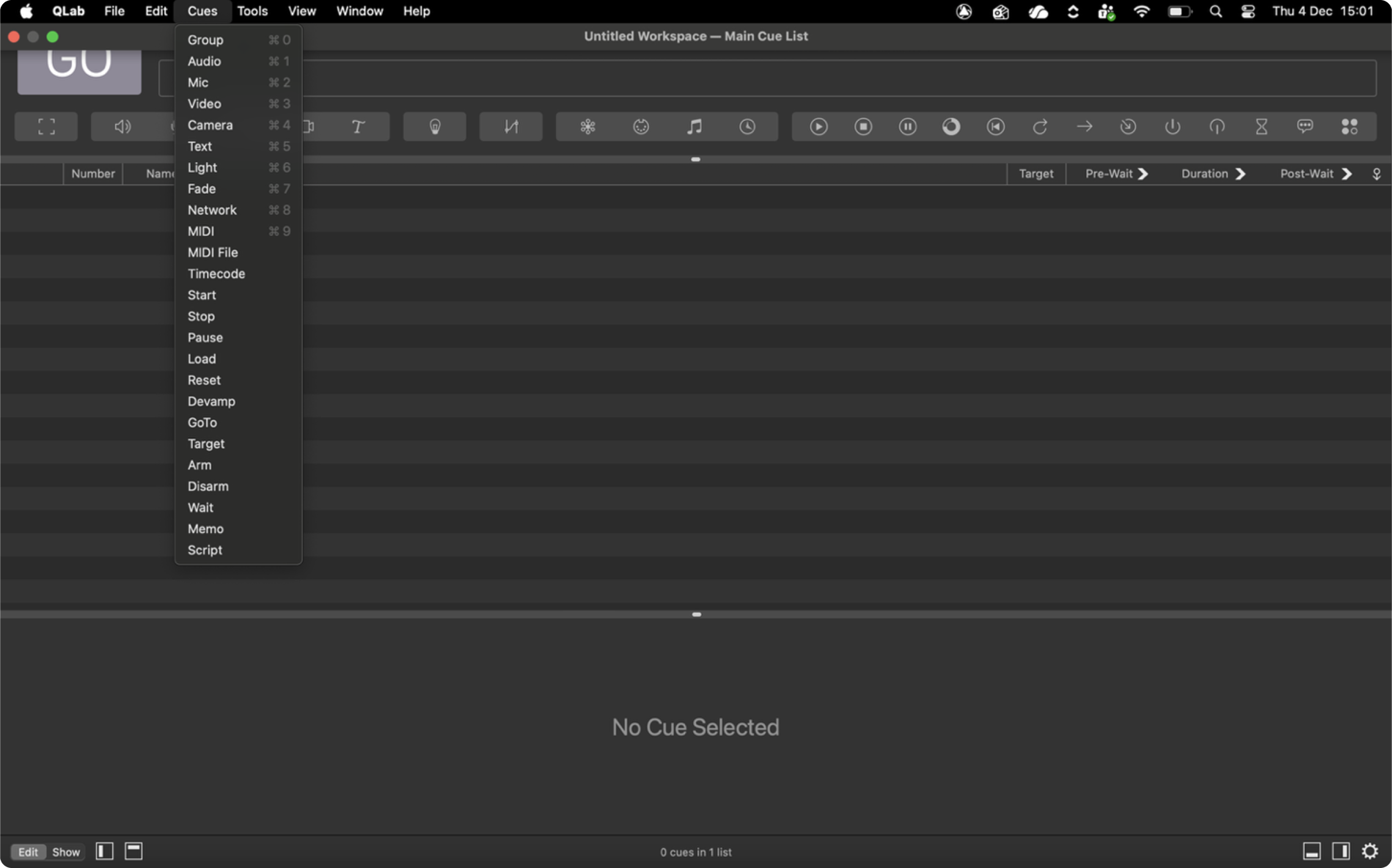
手順 2. 新しいNetwork Cueを作成します。システムのメニューバーからCues>Networkへ移動してください。このキューが保存をトリガーします。
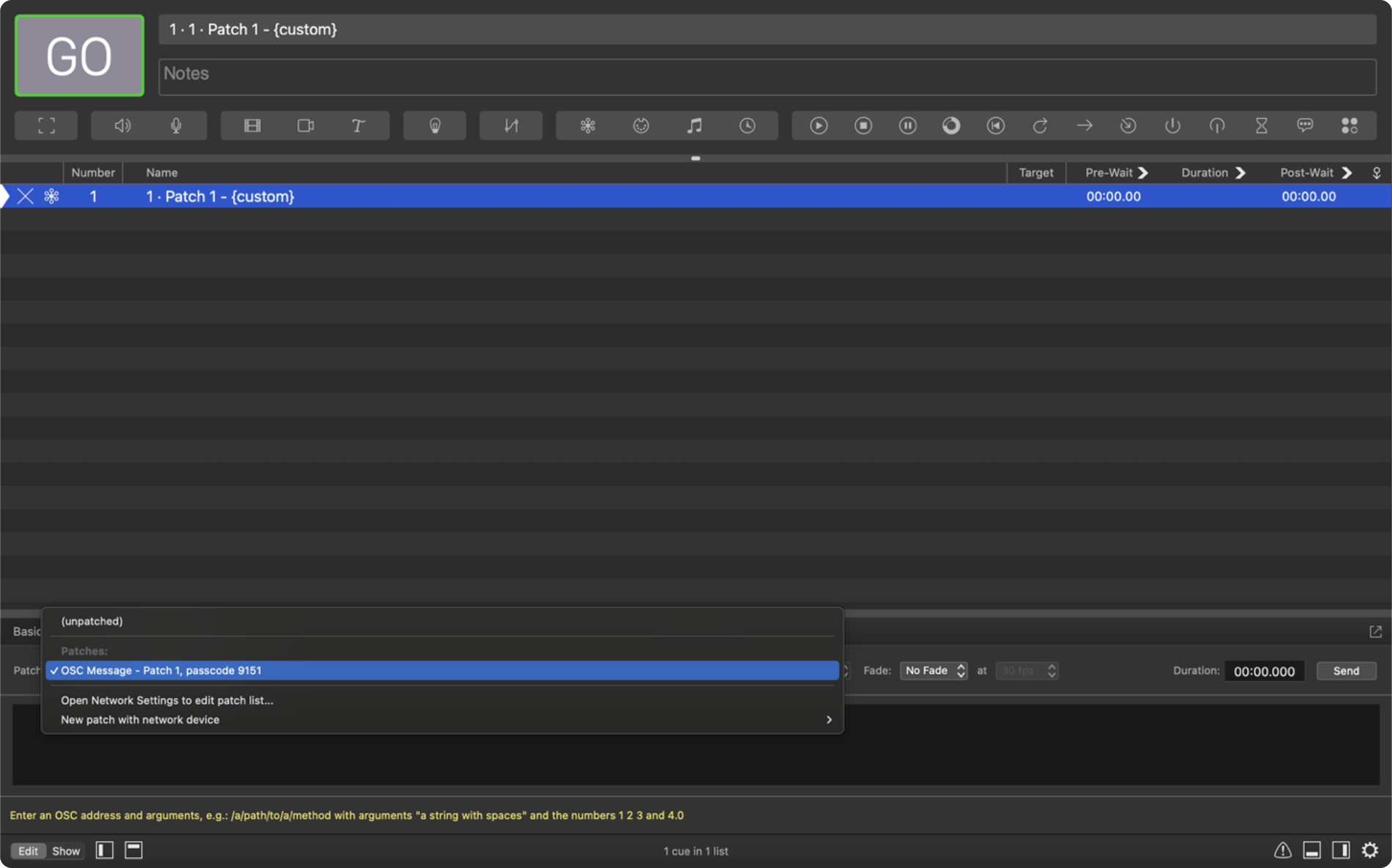
手順 3. Settingsタブで、PatchがOSC Messageに設定されていることを確認してください。
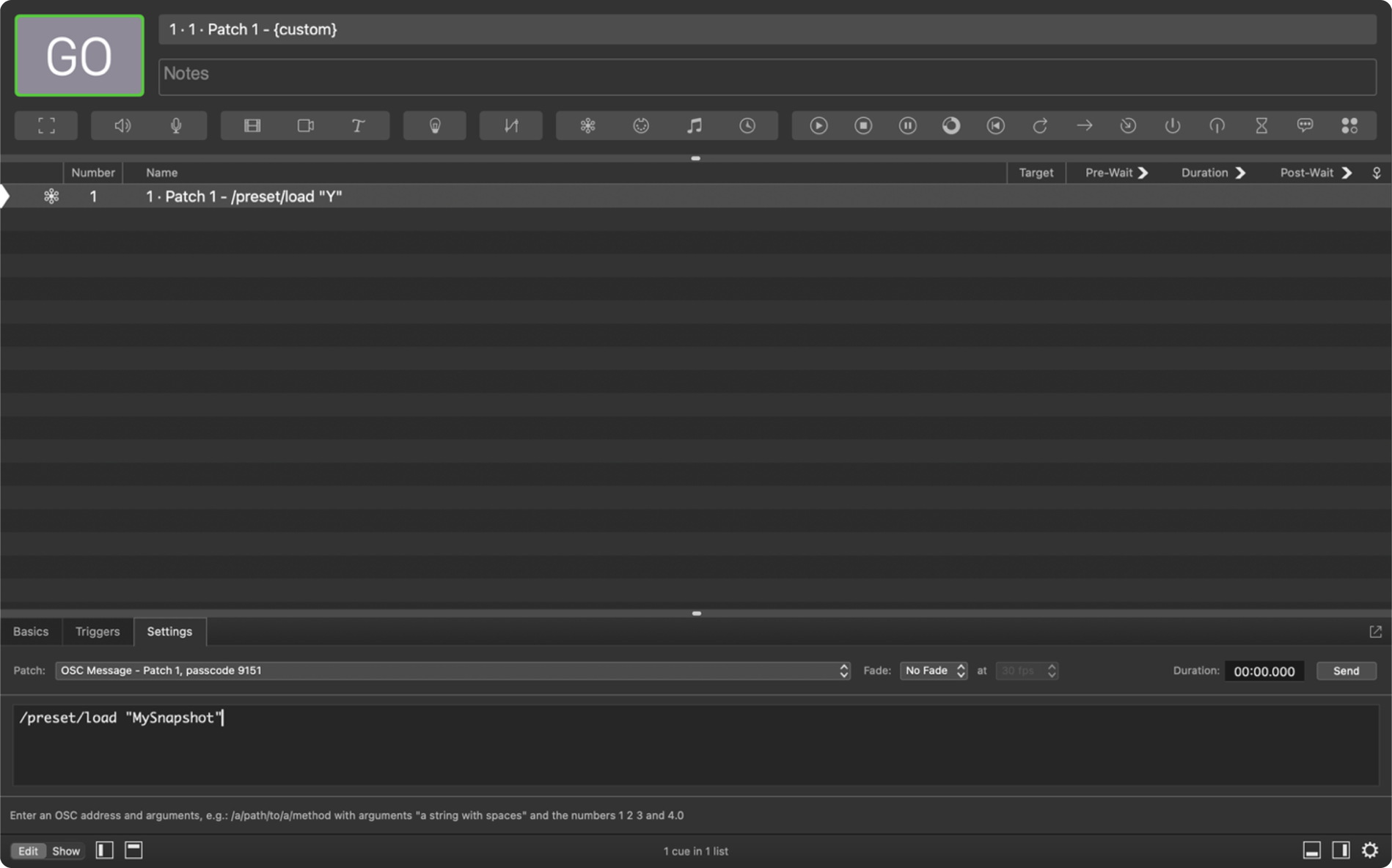
手順 4. スナップショットに名前を付けます。Commandフィールドに次を入力してください:/preset/save “YOUR SNAPSHOT NAME”
注:引用符内の名前がスナップショット名です。スペースや特殊文字は使用しないでください。既存ファイルの上書きを避けるため、各スナップショット名は一意である必要があります。
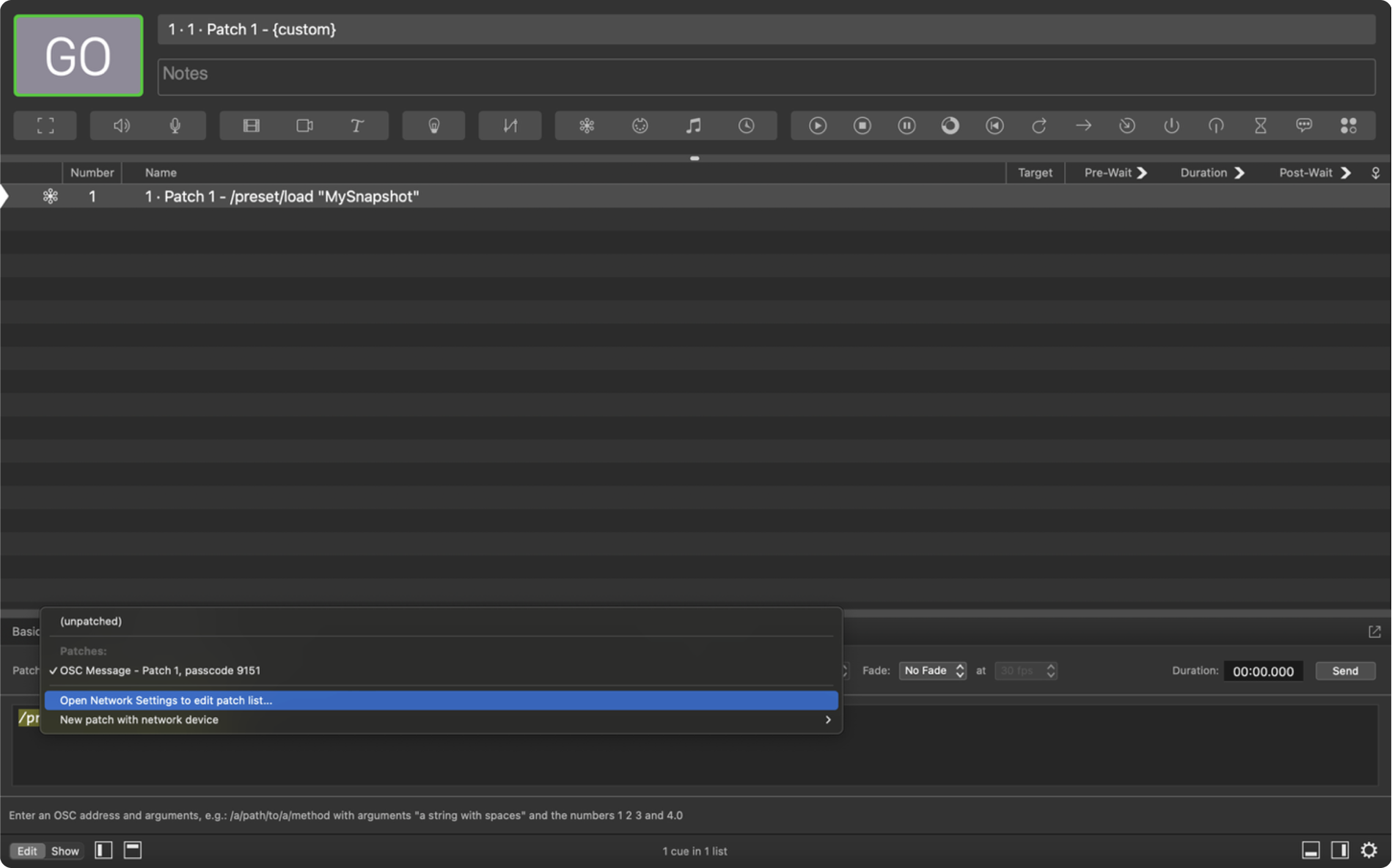
手順 5. キューのネットワーク設定を構成します。Patchの下でOpen Network Settingsを選択してください。
DestinationフィールドにホストのIPアドレスを貼り付けてください。
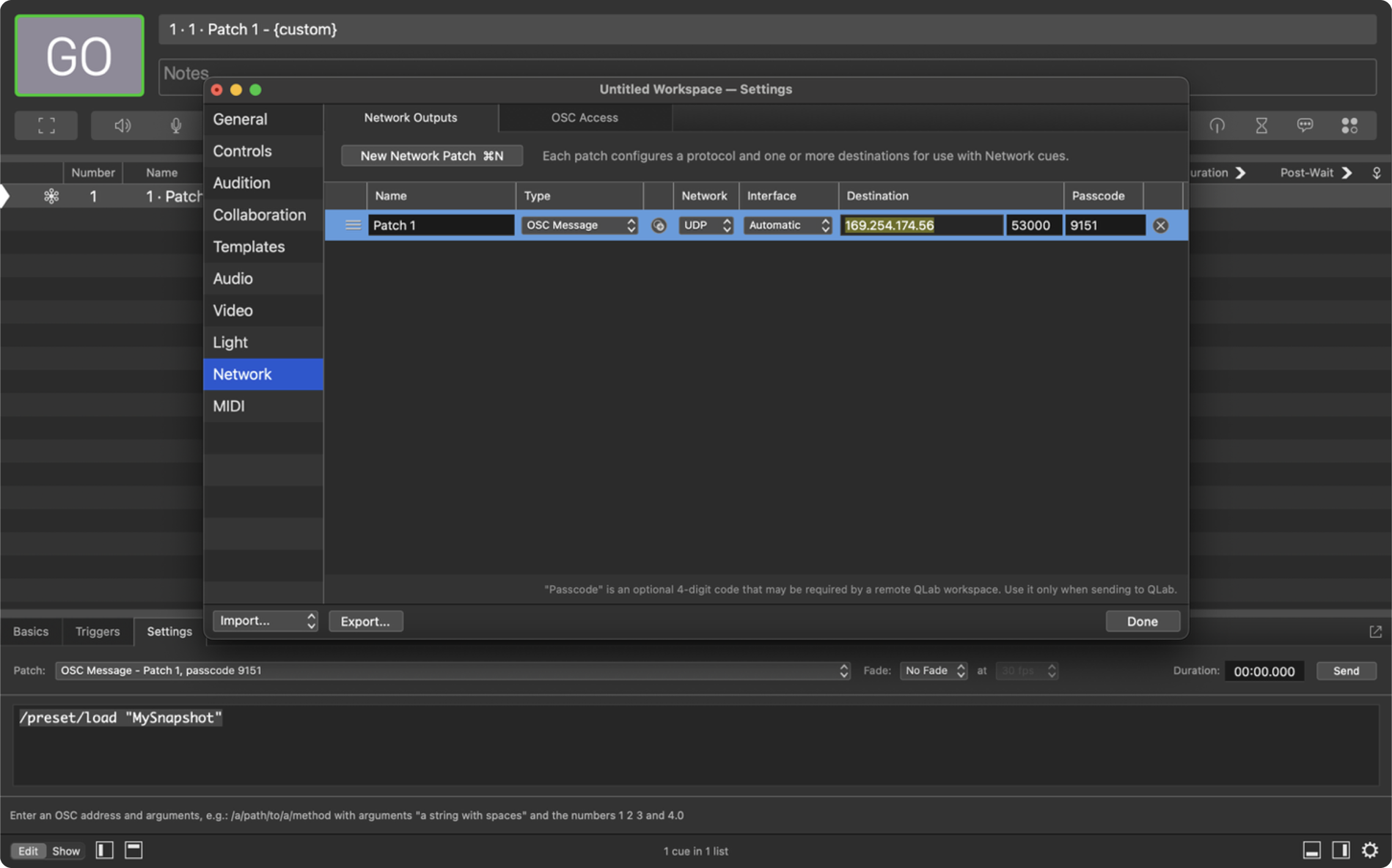
Portを5000に設定してください。
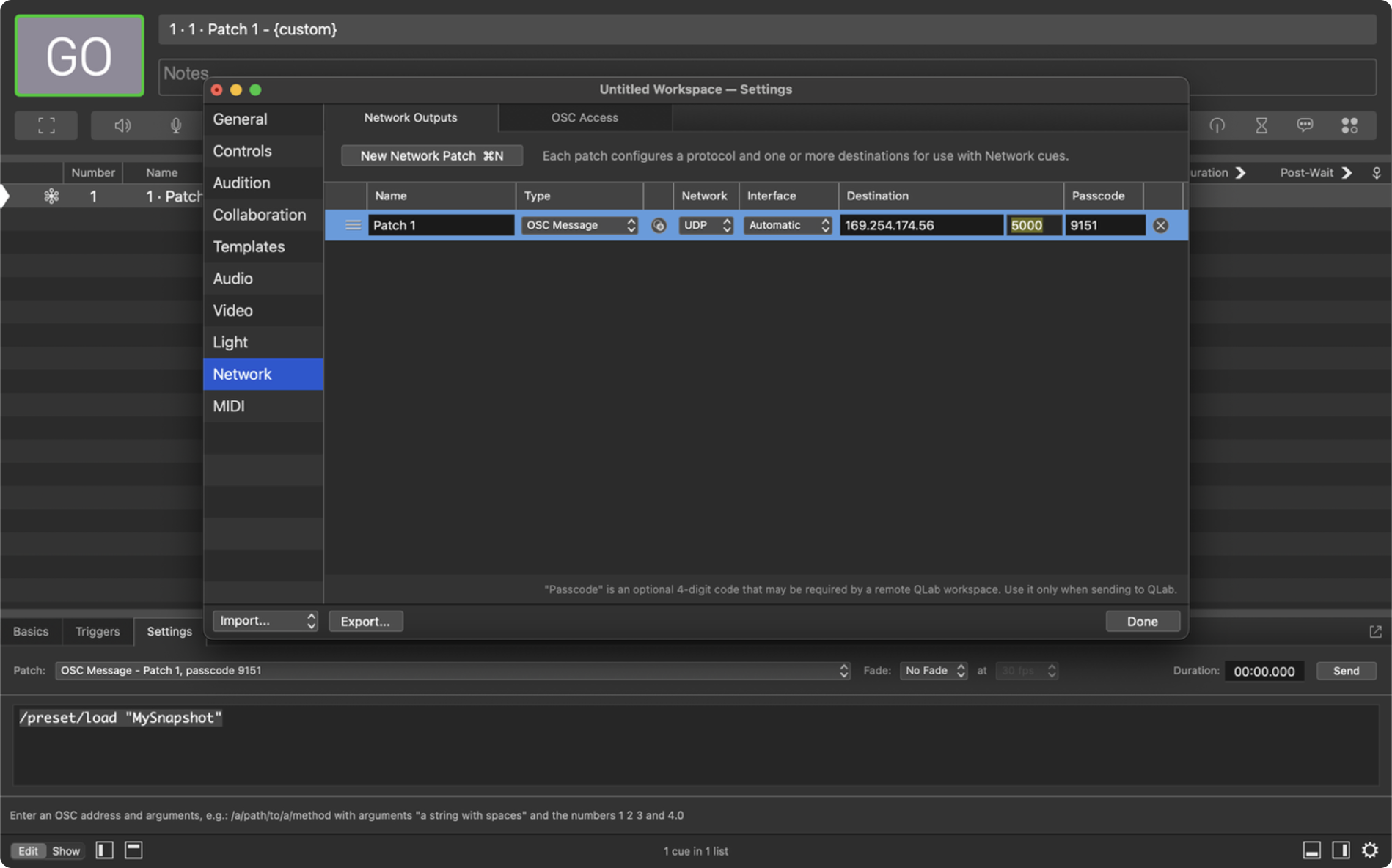
注 1:マルチホストシステムのスナップショットを保存するには、上記のとおりシステム内の各ホストごとにNew Network Patchを作成する必要があります。
注 2:DHCPのホストは再起動のたびに新しいIPアドレスが割り当てられる場合があります。すべてのネットワークパッチに常に正しいIPが設定されていることを確認してください。この問題を回避するには、ホストを固定IPに設定してください。ネットワークが正しいサブネット上にあると確信できる場合にのみ、ホストのIPアドレスを変更してください。
手順 6. Network Cueをトリガーしてスナップショットを保存します。後で呼び出せるよう、スナップショット名を控えてください。別の保存を作成する前に、Commandフィールドのスナップショット名を更新してください。
注 1:各ホストは約3,000件のスナップショットを保存できます。これを超えるとストレージの問題が発生する可能性があります。
注 2:システム内のホストを交換した場合、スナップショットはそのユニット用に再保存する必要があります。スナップショットは各ホストにローカル保存されるためです。
手順 1. QLabで新しいNetwork Cueを作成します(前と同様)。
手順 2. Commandフィールドに次を入力してください:/preset/load “YOUR SNAPSHOT NAME”。スナップショット保存時に使用した名前と完全に同一の名前を使用してください。
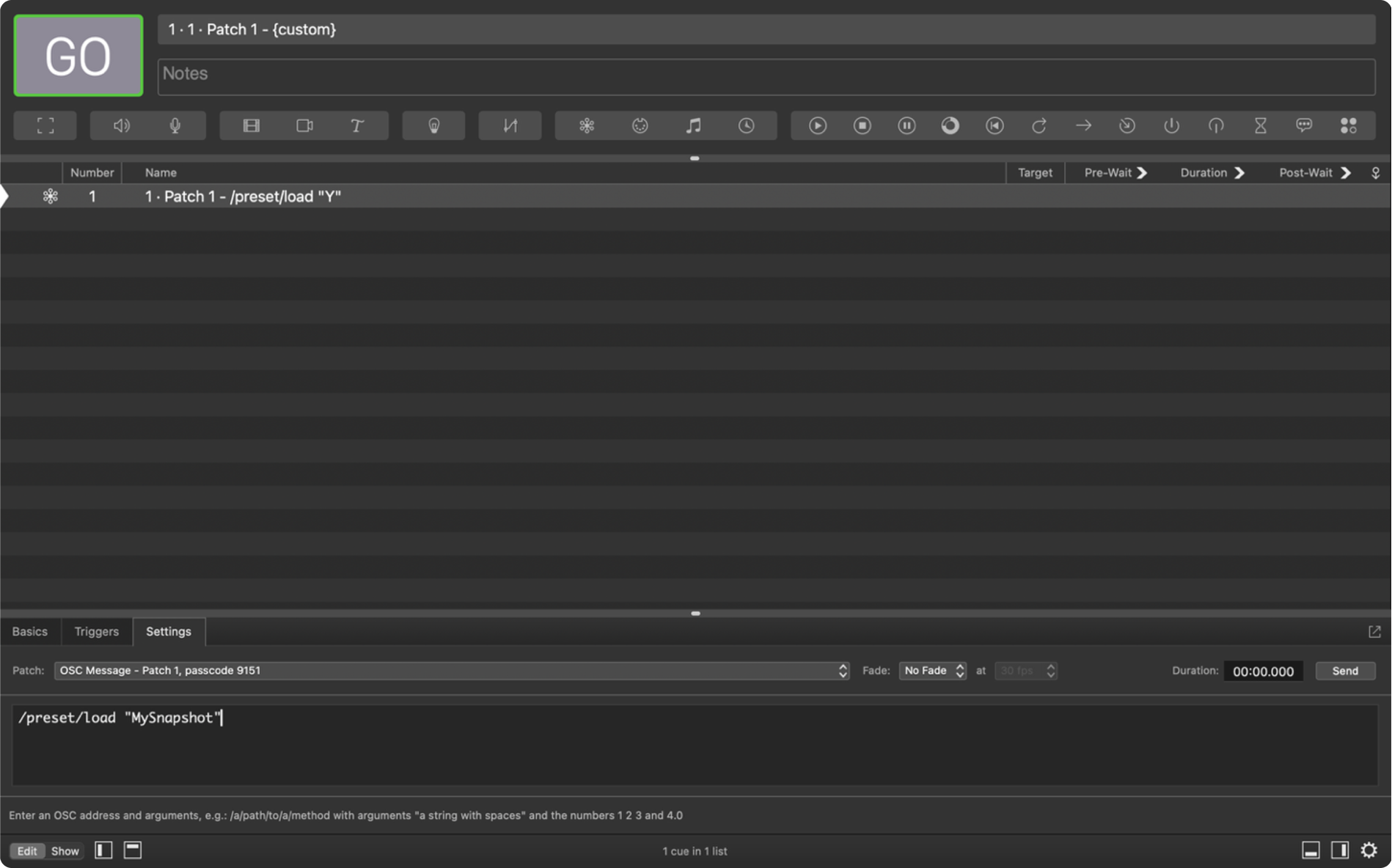
手順 3. Network Cueをトリガーしてスナップショットを読み込みます。
注:呼び出し後、クライアントはホストと同期していません。赤い同期ボタンが点灯するので、押してクライアントを再同期してください。
These terms and conditions (the “Terms and Conditions”) govern the use of www.karno.com (the “Site”). This Site is owned and operated by Karno Sound Limited. This Site is a portfolio.
By using this Site, you indicate that you have read and understand these Terms and Conditions and agree to abide by them at all times.
All content published and made available on our Site is the property of Karno Sound Limited and the Site’s creators. This includes, but is not limited to images, text, logos, documents, downloadable files and anything that contributes to the composition of our Site.
Karno Sound Limited and our directors, officers, agents, employees, subsidiaries, and affiliates will not be liable for any actions, claims, losses, damages, liabilities and expenses including legal fees from your use of the Site.
Except where prohibited by law, by using this Site you indemnify and hold harmless Karno Sound Limited and our directors, officers, agents, employees, subsidiaries, and affiliates from any actions, claims, losses, damages, liabilities and expenses including legal fees arising out of your use of our Site or your violation of these Terms and Conditions.
These Terms and Conditions are governed by the laws of the Country of England.
If at any time any of the provisions set forth in these Terms and Conditions are found to be inconsistent or invalid under applicable laws, those provisions will be deemed void and will be removed from these Terms and Conditions. All other provisions will not be affected by the removal and the rest of these Terms and Conditions will still be considered valid.
These Terms and Conditions may be amended from time to time in order to maintain compliance with the law and to reflect any changes to the way we operate our Site and the way we expect users to behave on our Site. We will notify users by email of changes to these Terms and Conditions or
post a notice on our Site.
This Privacy Statement outlines how Karno (“we,” “us,” or “our”) collects, utilises, and discloses personal data when you visit our website and engage with our services. We are dedicated to safeguarding your privacy and adhering to applicable data protection laws, including the General Data Protection Regulation (GDPR).
We do not gather or retain personal data from visitors to our website, except for currency conversion purposes when utilising our Shopify integration. In such instances, we may collect and process the user’s IP address to ascertain the appropriate currency based on their location.
The IP address obtained during currency conversion is employed solely to provide the suitable currency for the user’s location. We do not employ this data for any other purpose, nor do we share it with third parties.
We process IP addresses for currency conversion based on our legitimate interest in delivering a personalised experience to our website visitors and customers. We consider this processing necessary for the execution of our contract with you and for our legitimate interests in delivering and refining our services.
We retain IP addresses gathered for currency conversion for the duration required to deliver the service and comply with legal obligations. Subsequently, we securely delete or anonymise the data.
Under the GDPR, you possess the right to access, rectify, or erase your personal data processed by us. You also retain the right to restrict or object to the processing of your personal data. Should you wish to exercise any of these rights or have any queries concerning our privacy practices, please contact us using the details provided below.
Updates to Privacy Statement:
We may update this Privacy Statement periodically to reflect changes in our data processing practices or legal requirements. Any updates will be posted on this page, so please check back regularly for the latest information.
Please contact us if you have any questions or concerns. Our contact details are as follows:
We respect your privacy. We only collect and use your IP address for currency conversion when using our Shopify integration. This helps us provide the right currency based on your location. We don’t share this data and only keep it for as long as necessary. For our full statement Click Here