SepiaIcon

Option Card Swap Guide

(Analog to Dante)

Table of Contents

Setup

You will need: 

  • 2.0mm hex screwdriver
  • 5.0mm nut driver
  • 5.5mm nut driver
  • Anti-static surface
  • PZ0 screwdriver (cross head)
  • Standoff jig (optional)
  • Spudger (optional)

Step 0. Ensure you are on firmware version 0.3.28

You must update to 0.3.28 or later BEFORE starting the card swap. You can follow the SEPIA update guide here.

Physical Removal

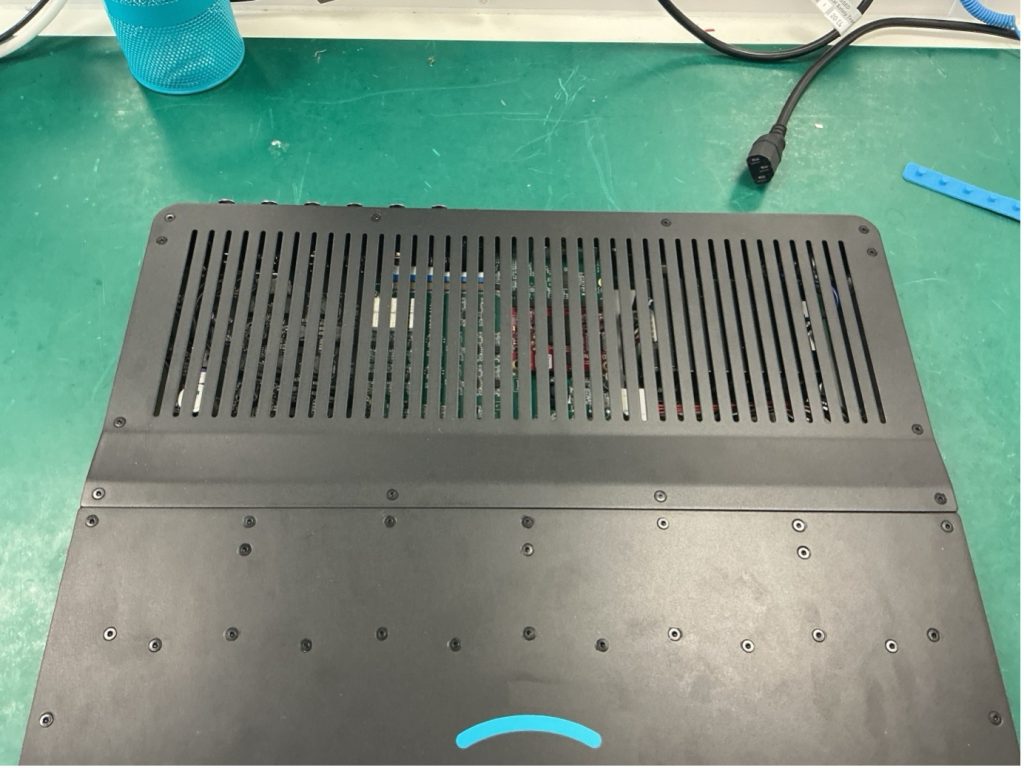
Step 1. Ensure the unit is powered off. Unscrew the back lid.
Notice that the front 2 screws are shorter. These should be stored separately.


svgviewer png output


Step 2. Unscrew the locking nuts (5.5 nut driver needed). If the nut spins around continually with out loosening, you may need to tighten up the standoff (this is done underneath the unit with a 2.0 hex driver).


Pasted Graphic


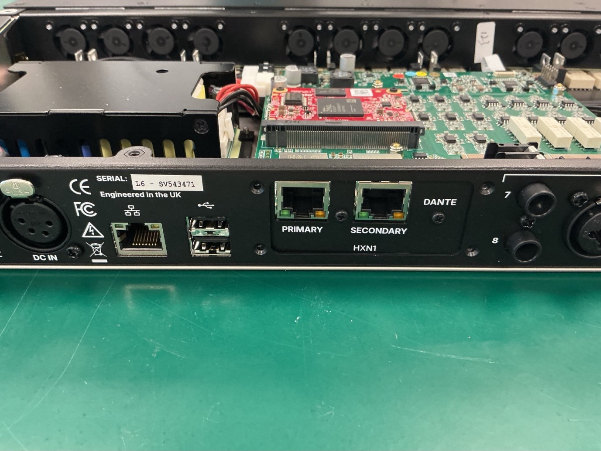
Step 3. Unscrew the option card plate at the back of the unit. There are 4 black M2.5 in the corners.


HALOO OUT THE


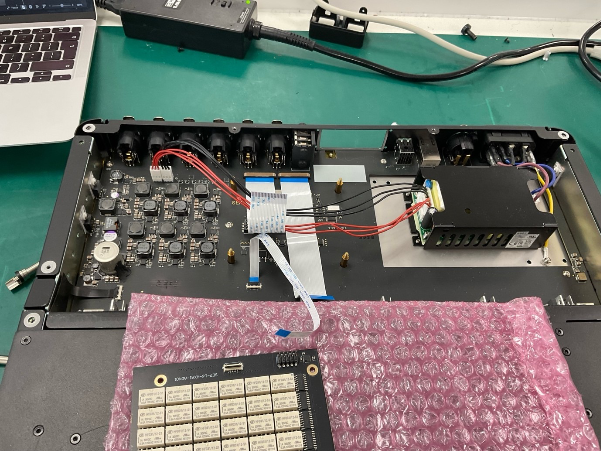
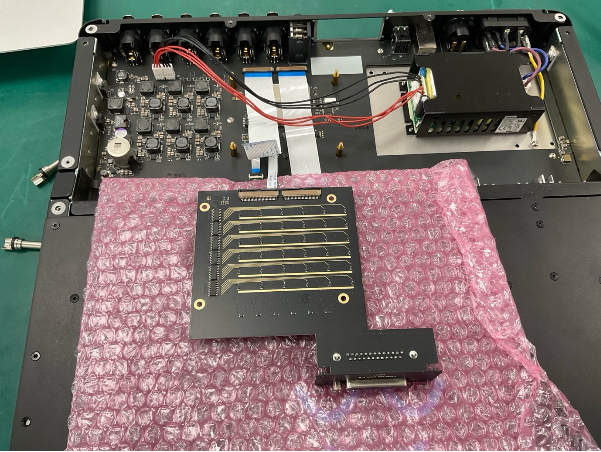
Step 4. Place an anti-static/insulating material on the front lid and place the analog option card on top.


11731f224cf4c810c902ed1e2a82281c201e3717
 

Step 5. Remove all the ribbon cables. A Spudger may help.

image 13
image 14
 

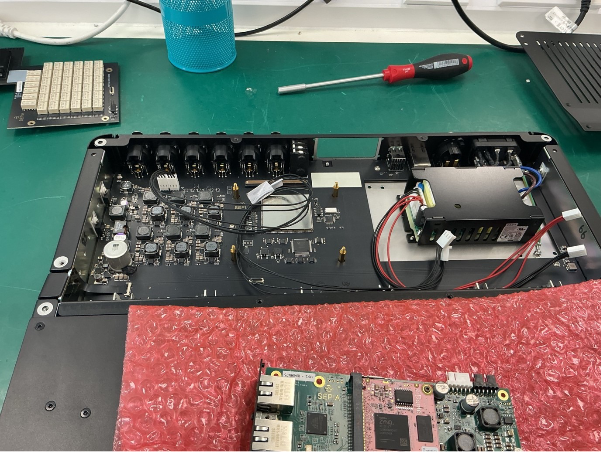
Step 6. Unplug the power cables and bundle them in front of the power supply.

Frame 942
 

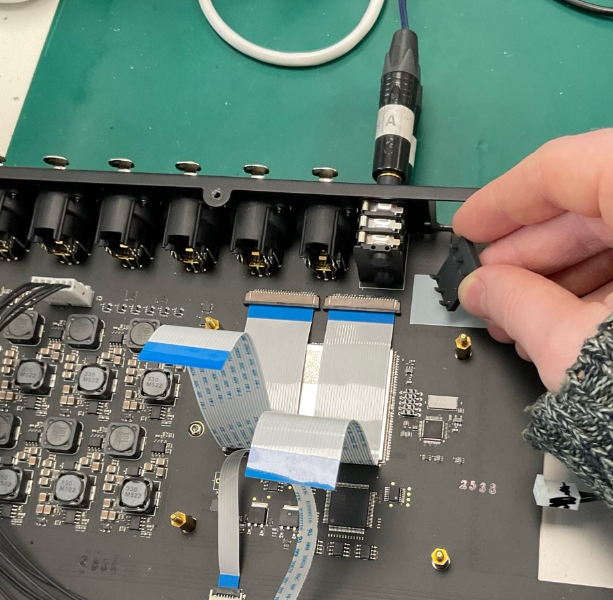
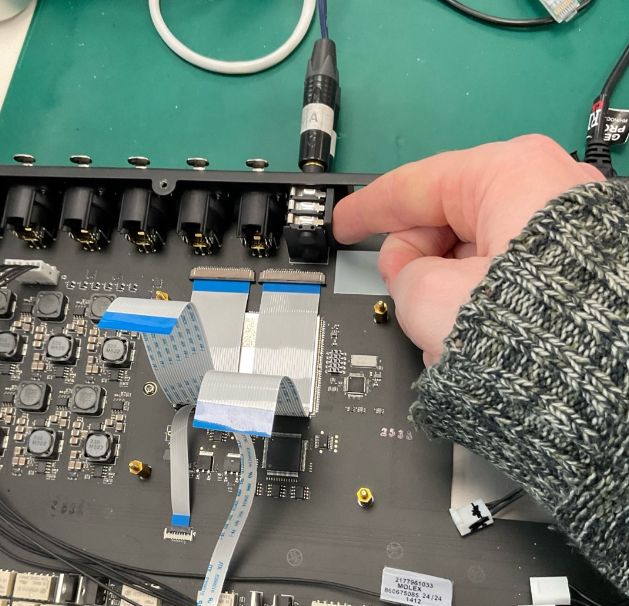
Step 7. (This step is for units with serial numbers beginning with “L6-LW…” only.) Plug 2 TRS Jacks into the sockets to open the connector gates. Then insert the grey plastic jig in place. 

image 15
image 4

Part 2: Physically installing the Dante card


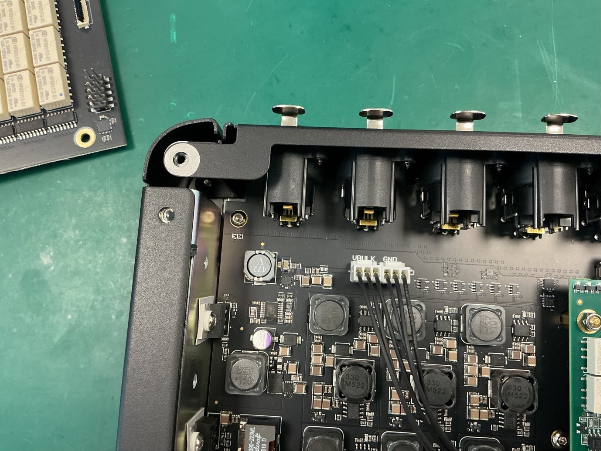
Step 1. Plug in the 2 black power cables, and neatly dress them.

image 5
 

You may want to note the polarity of the cables by marking one of them. The polarity is marked on the main board and dante card.

image 6
 From the power supply, Red means VDD and Black means GND


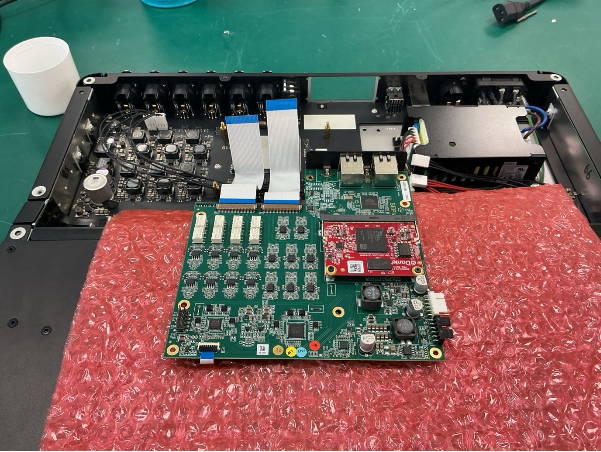
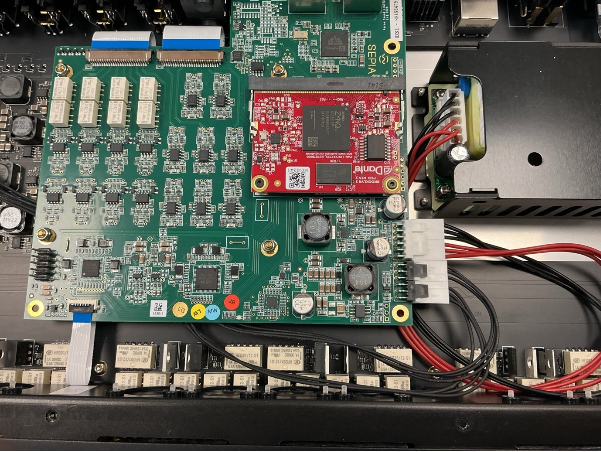
Step 2. Place the dante card on the front lid under some insulation. Plug the dante card ribbons into the main board

image 7
 

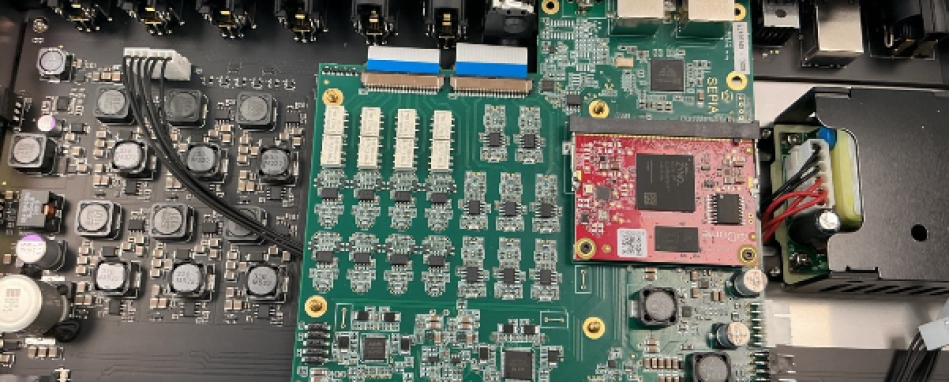
Step 3. Slot the Dante card into the unit. Insuring no power cables are snagged under the standoffs

image (8)
 
Step 4. Plug the power cables into the the card
 
image 9
 
Step 5. Again, insuring no power cabbles are pinched under the standoffs, screw the locking nuts in place. 


Step 6. Screw the option card plate into the back of the unit

image 10
 

Step 7. Power the unit on and check for shorts. If all LEDs turn on and after 45 seconds you can hear relays click, this means the unit is powering on correctly. If not, double check that no power cables are pinched under the Dante card or that the polarity is the wrong way round.


Step 8. Screw the lid on

32fcf2b33bacd950c6ea72d3e1ad9009ddd96683

Part 3: IT setup


Step 0. The sepia unit must be on software version 0.3.28 BEFORE the card is swapped. If you have installed the new card and are on a version earlier than 0.3.28, you will need to re-install the old card before updating.  


Step 1. Obtain the IP address of the unit. This is the same procedure as the firmware update. 


Step 2. (OPTIONAL) We will check which ouput card the host is currently configured to. Launch the terminal and run the following command:  


curl -X GET http://IPADDRESS:59282/output-card

(Substituting “IPADDRESS” for your host’s IP address.) 

For example: 

curl -X GET http://10.10.10.10:59282/output-card 

It should return either “HXA1” Or “HXN1” 

ID code
Option card
HXA1
Analogue Card
HXN1
Dante Card


Step 3. We will configure the host to our desired option card. In the terminal run: 

curl -X PUT http://IPADDRESS:59282/output-card -d OPTIONCARD 

(Substituting “IPADDRESS” for your host’s IP address. And Substituting  “OPTIONCARD” for the ID code of your newly installed Option card) 


For example: 

curl -X PUT http://10.10.10.10:59282/output-card -d HXN1 
 

Enter the command and the power cycle the host 


Step 4. (optional) You can run the command from step 2 to double check the host was configured correctly. 

Step 5. Check Dante updater for any new Dante card software versions. 

SepiaIcon

TERMS

These terms and conditions (the “Terms and Conditions”) govern the use of www.karno.com (the “Site”). This Site is owned and operated by Karno Sound Limited. This Site is a portfolio.

By using this Site, you indicate that you have read and understand these Terms and Conditions and agree to abide by them at all times.

Intellectual Property

All content published and made available on our Site is the property of Karno Sound Limited and the Site’s creators. This includes, but is not limited to images, text, logos, documents, downloadable files and anything that contributes to the composition of our Site.

Limitation of Liability

Karno Sound Limited and our directors, officers, agents, employees, subsidiaries, and affiliates will not be liable for any actions, claims, losses, damages, liabilities and expenses including legal fees from your use of the Site.

Indemnity

Except where prohibited by law, by using this Site you indemnify and hold harmless Karno Sound Limited and our directors, officers, agents, employees, subsidiaries, and affiliates from any actions, claims, losses, damages, liabilities and expenses including legal fees arising out of your use of our Site or your violation of these Terms and Conditions.

Applicable Law

These Terms and Conditions are governed by the laws of the Country of England.

Severability

If at any time any of the provisions set forth in these Terms and Conditions are found to be inconsistent or invalid under applicable laws, those provisions will be deemed void and will be removed from these Terms and Conditions. All other provisions will not be affected by the removal and the rest of these Terms and Conditions will still be considered valid.

Changes

These Terms and Conditions may be amended from time to time in order to maintain compliance with the law and to reflect any changes to the way we operate our Site and the way we expect users to behave on our Site. We will notify users by email of changes to these Terms and Conditions or
post a notice on our Site.

GDPR Privacy Statement

This Privacy Statement outlines how Karno (“we,” “us,” or “our”) collects, utilises, and discloses personal data when you visit our website and engage with our services. We are dedicated to safeguarding your privacy and adhering to applicable data protection laws, including the General Data Protection Regulation (GDPR).

We do not gather or retain personal data from visitors to our website, except for currency conversion purposes when utilising our Shopify integration. In such instances, we may collect and process the user’s IP address to ascertain the appropriate currency based on their location.

The IP address obtained during currency conversion is employed solely to provide the suitable currency for the user’s location. We do not employ this data for any other purpose, nor do we share it with third parties.

We process IP addresses for currency conversion based on our legitimate interest in delivering a personalised experience to our website visitors and customers. We consider this processing necessary for the execution of our contract with you and for our legitimate interests in delivering and refining our services.

We retain IP addresses gathered for currency conversion for the duration required to deliver the service and comply with legal obligations. Subsequently, we securely delete or anonymise the data.

Under the GDPR, you possess the right to access, rectify, or erase your personal data processed by us. You also retain the right to restrict or object to the processing of your personal data. Should you wish to exercise any of these rights or have any queries concerning our privacy practices, please contact us using the details provided below.

Updates to Privacy Statement:
We may update this Privacy Statement periodically to reflect changes in our data processing practices or legal requirements. Any updates will be posted on this page, so please check back regularly for the latest information.

Contact Details

Please contact us if you have any questions or concerns. Our contact details are as follows:

  • 02080 640340
  • contact@karno.com
  • Karno Sound Limited, South Quay Building, 77 Marsh Wall, E14 9SH

Privacy & Cookies

We respect your privacy. We only collect and use your IP address for currency conversion when using our Shopify integration. This helps us provide the right currency based on your location. We don’t share this data and only keep it for as long as necessary. For our full statement Click Here